 Synthera Docs
Make sure a Windows Hello PIN is not configured and that the Sign-in Options setting below is disabled.
Open Windows Search.
Type Sign-in Options.
Open Sign-in Options in Settings.
Find the setting For improved security, only allow Windows Hello sign-in for Microsoft accounts on this device and make sure it is disabled.
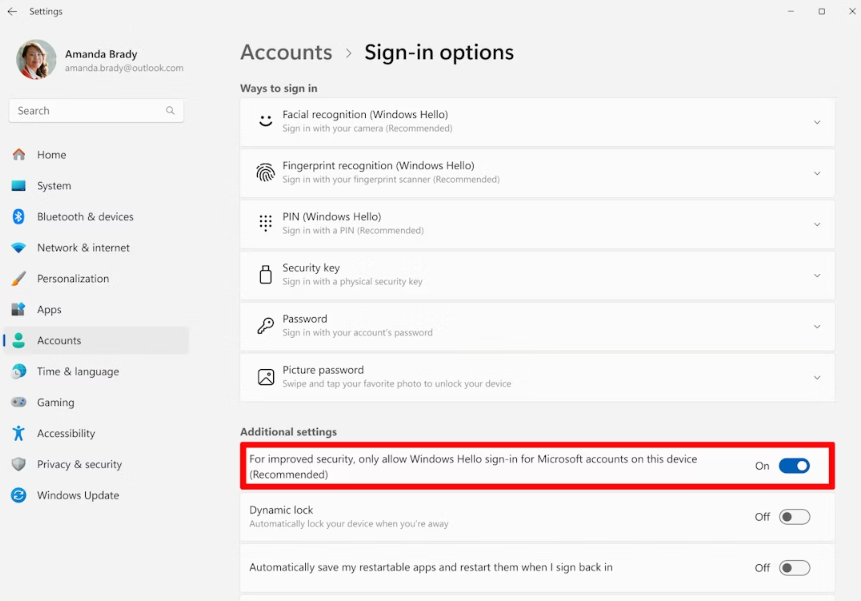
Select PIN (Windows Hello).
Make sure a PIN is not set.
If a PIN is configured, remove it and make sure a password is set instead.
To apply the configuration and restart the PC, use the restart/configuration file.
The file automatically restarts the PC after 10 seconds.
If you cannot sign in to Windows after running the file, follow Fix PIN / Sign-In Issues After Disabling Hyper-V.