跳到主要内容

Discord Overlay Setup

Enable and initialize the Discord overlay for products that require it.

Some products use the Discord overlay to display their menu. Follow this guide only when your product instructions specify Discord as the required overlay.

Open Discord Overlay Settings

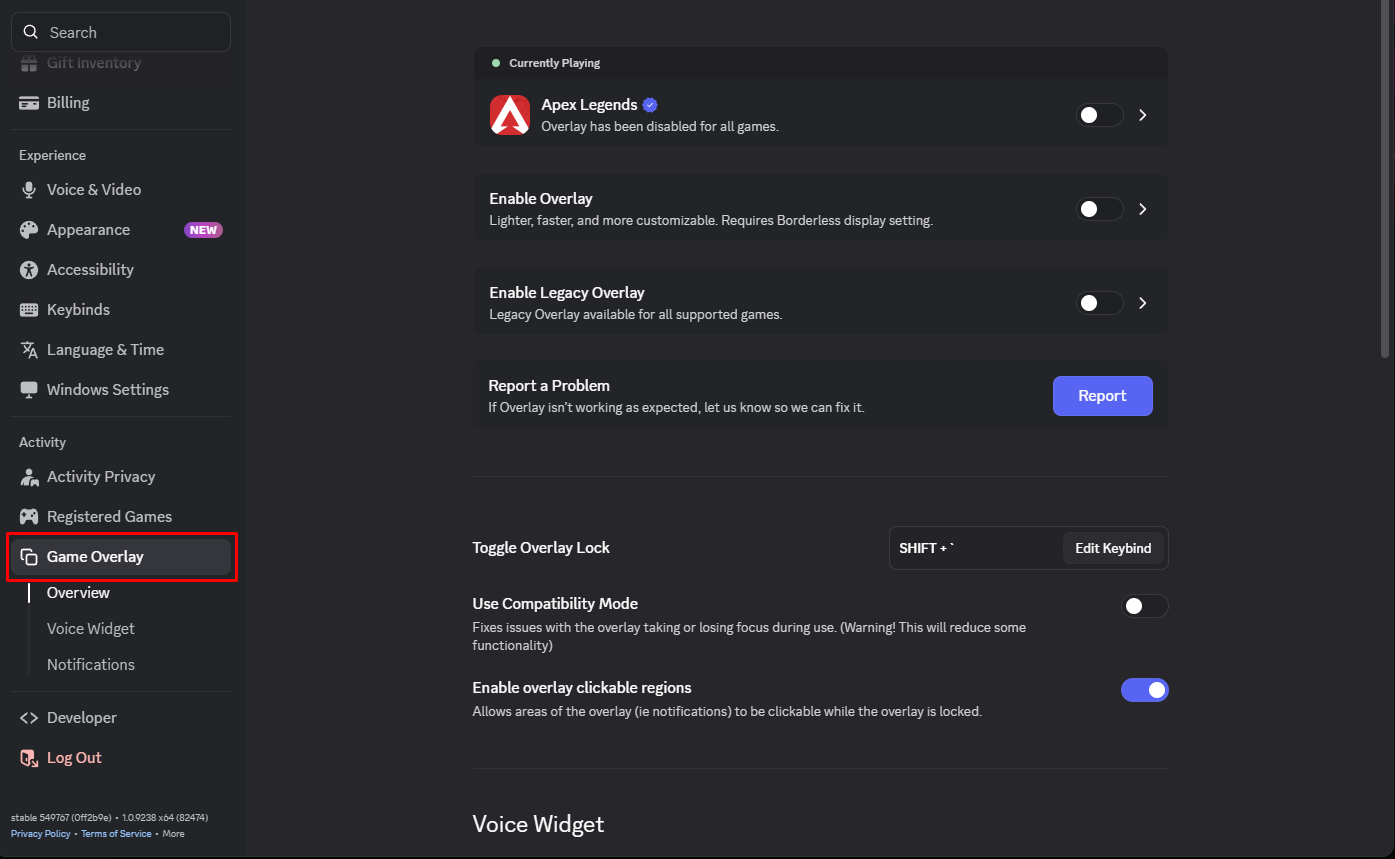
  1. Open Discord.

  2. Click the User Settings icon.

  3. Under Activity Settings, select Game Overlay.

Enable the Discord Overlay

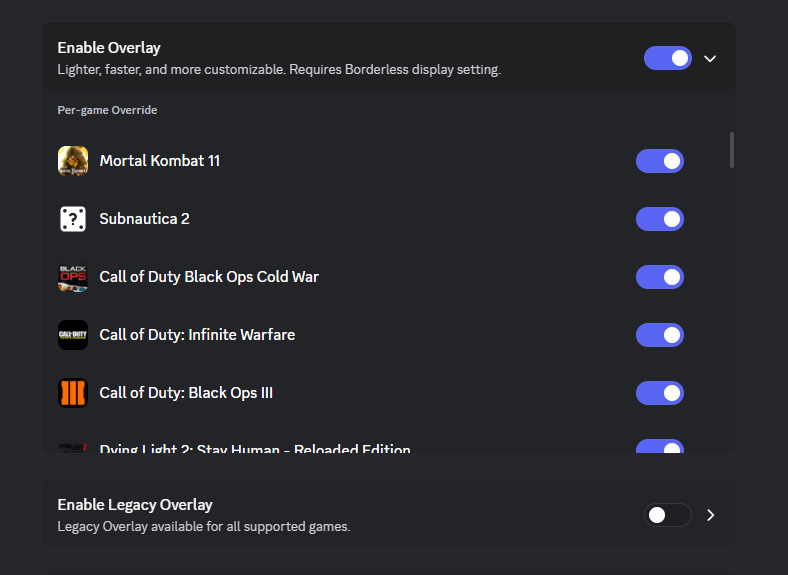
  1. Turn on Enable Overlay.

  2. Make sure Enable Legacy Overlay remains disabled.

  3. Find your game under Per-game Override.

  4. Enable the overlay for your game.

Note

If the game is not currently open, it may appear under Per-game Override instead of the active-game section.

Initialize the Discord Overlay

  1. Keep Discord open.

  2. Open the product loader.

  3. Click Load in the loader.

Important

Discord must remain open, and the overlay must be enabled for the correct game while the product is being initialized.

Discord Overlay Setup | synthera docs